 English
 Français
 Español
 Deutsch
 Italiano
 العربية



Tél
:+86-755-86961139
E-mail
:sales@vivo-light.com
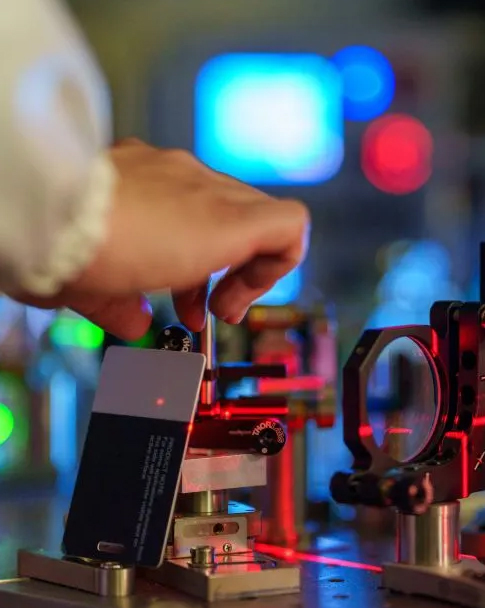

Vous constaterez que le mode lumière verte est performant pour de nombreuses carnations lors de l'utilisation d'un détecteur de veines par projection. Des études cliniques démontrent que la lumière verte offre un contraste élevé entre les veines et la peau, facilitant ainsi leur repérage sur les peaux claires, mates et foncées. Choisir le bon mode d'éclairage vous permet de mieux visualiser les veines, de réduire le nombre de tentatives infructueuses et d'offrir de meilleurs soins à vos patients.
Le mode lumière verte permet de visualiser au mieux les veines, quel que soit le type de peau. Le mode lumière rouge est moins performant, surtout sur les peaux foncées. Pour de meilleurs résultats, privilégiez les appareils de détection de veines permettant de changer de mode d'éclairage. La lumière verte accentue la visibilité des veines, réduisant ainsi les risques d'en manquer. Utilisez des appareils proposant plusieurs modes d'éclairage selon les patients.
Lors de l'utilisation d'un détecteur de veines par projection, la couleur de la lumière LED est importante. Les différentes carnations réagissent différemment aux lumières LED vertes et rouges. Le tableau ci-dessous indique le comportement de chaque couleur de lumière sur les peaux claires, moyennes et foncées. Cela vous aidera à choisir les appareils de détection de veines les mieux adaptés à vos patients.
Couleur de la lumière LED | Teint | Description des performances |
Vert | Lumière | Les veines sont clairement visibles grâce à un contraste marqué. |
Vert | Moyen | Offre une visibilité élevée et des contours de veines nets. |
Vert | Sombre | Offre un contraste net, rendant les veines plus visibles. |
Rouge | Lumière | Les veines sont visibles, mais le contraste est inférieur à celui du vert. |
Rouge | Moyen | Ça fonctionne, mais les veines peuvent se confondre avec la peau. |
Rouge | Sombre | Moins efficace en raison de l'absorption de la mélanine. |
On constate que les LED vertes des appareils de détection de veines sont efficaces sur toutes les carnations, notamment sur les peaux foncées. Les LED rouges sont moins performantes sur les peaux foncées car la mélanine absorbe davantage la lumière rouge, ce qui rend les veines plus difficiles à distinguer.
Il est important de comprendre la différence entre les LED vertes et rouges des détecteurs de veines. Les LED vertes offrent un meilleur contraste des veines sur la plupart des teints. Elles permettent de localiser les veines plus rapidement et de réduire le nombre de tentatives infructueuses. Les LED rouges, quant à elles, sont moins visibles, surtout sur les teints foncés. Dans les détecteurs de veines à projection, les LED infrarouges jouent également un rôle. Bien que la lumière infrarouge pénètre plus profondément, les LED vertes offrent toujours le meilleur contraste de surface pour la visualisation des veines.
Lorsque vous utilisez des appareils de détection des veines comme le vivolight V800P ou Détecteur de veines par projection V900PVous bénéficiez ainsi de fonctionnalités spécifiques. Le modèle V800P utilise des LED vertes pour une meilleure visibilité dans les environnements sombres. Il dispose également d'un mode pédiatrique pour protéger les yeux des jeunes patients. Le modèle V900P s'adapte aux différentes conditions d'éclairage et offre une détection intelligente de la profondeur. Ceci vous aide à trouver la veine et l'angle d'insertion de l'aiguille optimaux. Ces dispositifs de localisation des veines utilisent une technologie LED avancée pour répondre aux besoins de chaque patient.
Conseil : Vérifiez toujours si votre détecteur de veines par projection possède des modes d’éclairage LED réglables. Cela vous permet de choisir entre une lumière LED verte et rouge pour une visibilité optimale des veines, quelle que soit votre carnation.
Vous améliorez la prise en charge des patients en choisissant le mode d'éclairage LED adapté. Les systèmes de visualisation des veines par infrarouge s'adaptent aux différentes tonalités et conditions d'éclairage. Vous visualisez ainsi clairement les veines et évitez les piqûres multiples. Les appareils de visualisation des veines fiables, comme les modèles hospitaliers et portables, utilisent des LED pour vous permettre de travailler plus rapidement et en toute sécurité. Les LED infrarouges, vertes et rouges ont toutes leur utilité, mais les LED vertes offrent les meilleurs résultats dans la plupart des conditions d'éclairage.
Vous recherchez des appareils de visualisation des veines offrant une adaptabilité des couleurs et des fonctionnalités intelligentes. Les LED infrarouges de ces appareils permettent de visualiser les veines profondes, tandis que les LED vertes offrent des contours précis sur la peau. Ces appareils facilitent votre travail. Ils peuvent être utilisés à l'hôpital ou comme outils portables de visualisation des veines en clinique et à domicile.
L'utilisation d'appareils de détection de veines équipés de LED adaptées permet d'obtenir de meilleures performances. Vous visualisez les veines quelle que soit la luminosité ambiante, réduisez l'inconfort du patient et améliorez votre taux de réussite. Les LED infrarouges, vertes et rouges présentent chacune des avantages, mais les LED vertes se distinguent par leur performance optimale sur différentes luminosités.
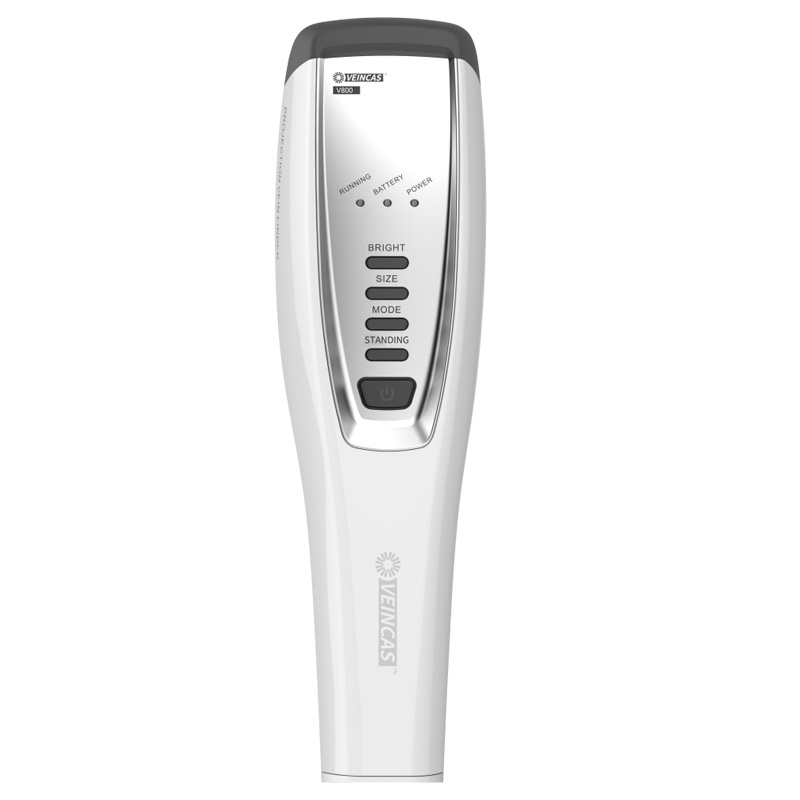
La lumière verte permet de mieux visualiser les veines. Elle interagit avec la mélanine et l'hémoglobine de la peau. Lorsqu'on utilise un appareil de visualisation des veines par projection, la lumière verte pénètre dans la couche superficielle de la peau. Cette lumière se diffuse et atteint ainsi les petits vaisseaux sanguins. L'hémoglobine absorbe la lumière verte, ce qui rend les veines plus faciles à repérer. On les remarque car la lumière verte les fait ressortir, surtout dans les zones de forte circulation sanguine. Cela permet de trouver les veines rapidement et de réduire les risques d'erreur. La lumière proche infrarouge contribue également à l'imagerie des veines, mais la lumière verte offre le contraste le plus net sur la peau.
La lumière verte est particulièrement efficace sur les peaux claires. Elle permet de visualiser clairement les contours des veines et offre un contraste marqué. Les appareils de visualisation des veines utilisés en milieu hospitalier et sur les appareils portables utilisent la lumière verte pour une meilleure clarté. Le repérage des veines est facilité, ce qui permet de réaliser des examens d'imagerie et de localiser les veines avec précision. L'imagerie infrarouge est également utile, mais la lumière verte offre la meilleure netteté de surface. On obtient ainsi de meilleures images et le patient est moins gêné.
La lumière verte est particulièrement efficace sur les peaux mates. On utilise des appareils de visualisation des veines par projection, dotés de modes multicolores et d'une lumière proche infrarouge. La lumière verte offre des contours de veines nets et une excellente visibilité. Les veines sont parfaitement visibles, même en cas de variations de carnation.
Appareil | Performance du teint |
Vivolight V900P | Convient aux peaux claires, moyennes à foncées et aux peaux plus foncées. |
Imagerie NIR | Pénètre en profondeur pour les peaux foncées et les veines profondes. |
Contraste élevé | Reste transparent sur de nombreuses carnations |
Vous obtenez des images de haute qualité et les veines sont bien visibles. L'imagerie infrarouge et la lumière proche infrarouge permettent de visualiser les veines plus profondes, mais la lumière verte offre le meilleur contraste de surface.
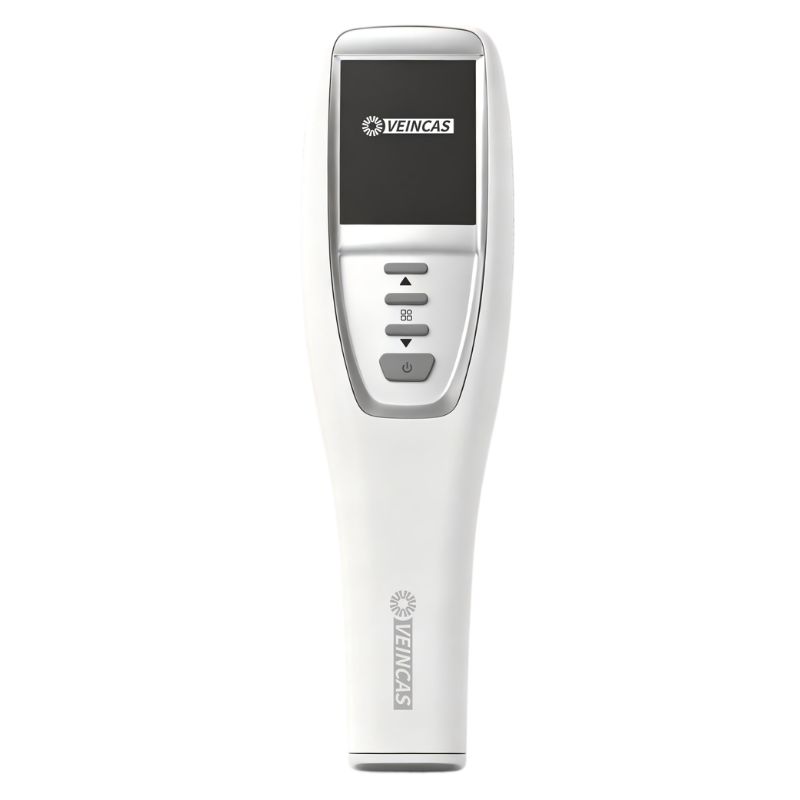
La lumière verte est idéale pour les peaux foncées. Vous utilisez des appareils portables de détection de veines dotés de modes proche infrarouge et lumière verte. La lumière verte pénètre dans la peau et fait ressortir les veines, même sur les peaux riches en mélanine. Vous obtenez ainsi des veines très contrastées, ce qui améliore la qualité de l'image et réduit le nombre d'examens infructueux. L'imagerie infrarouge et la lumière proche infrarouge permettent de visualiser les veines profondes. La lumière verte est utilisée pour les veines superficielles et la lumière proche infrarouge pour une imagerie plus profonde. Vous obtenez ainsi une image de qualité et des résultats constants pour toutes les carnations.
Conseil : Choisissez des appareils de visualisation des veines par projection dotés de modes d’éclairage vert et proche infrarouge réglables. Vous améliorerez ainsi la visibilité et l’imagerie des veines pour chaque patient.
La lumière rouge permet de visualiser les veines grâce à un détecteur de veines par projection. Elle se projette sur la peau et interagit avec l'hémoglobine du sang. L'hémoglobine absorbe davantage la lumière rouge que les autres tissus, ce qui fait apparaître les veines comme des lignes sombres sur la projection. Les appareils utilisés en milieu hospitalier et les détecteurs de veines portables utilisent cette méthode pour visualiser les veines sur la peau.
La lumière rouge permet de repérer les veines, mais son efficacité varie selon le type de peau. La technologie infrarouge des appareils de visualisation des veines par projection peut être utile, mais elle peut être moins performante chez les personnes à la peau plus pigmentée.
La lumière rouge est particulièrement efficace sur les peaux claires. Les veines sont plus visibles car la peau contient moins de mélanine, ce qui réduit l'absorption de la lumière. Les appareils de détection de veines utilisés en milieu hospitalier et les appareils portables permettent d'obtenir des veines avec un contraste élevé. L'imagerie infrarouge est également performante sur les peaux claires ; vous pouvez donc combiner les modes lumière rouge et infrarouge pour localiser les veines. Vous les repérez rapidement et avec moins d'erreurs.
Conseil : Utilisez les réglages « doux » de votre appareil de visualisation des veines pour les peaux claires. Cela permet d’éviter les reflets et de conserver des contours de veines nets.
La lumière rouge est efficace sur les peaux mates, mais le contraste peut être moins marqué que sur les peaux claires. Les appareils de visualisation des veines par projection permettent souvent de régler l'intensité lumineuse. Vous pouvez choisir un réglage doux, modéré ou fort en fonction du teint du patient. L'imagerie infrarouge permet de visualiser les veines plus profondes, mais les veines superficielles peuvent se confondre avec la peau.
Fonctionnalité | Description |
Niveaux d'intensité | L'appareil possède 3 niveaux d'intensité : doux, modéré et fort. |
Compatibilité avec le teint | Conçu pour convenir aux teints clairs, moyens et foncés et donner de bons résultats. |
Vous réglez votre appareil de visualisation des veines, qu'il soit hospitalier ou portable, pour une visibilité optimale. Les modes infrarouges sont utiles, mais la lumière rouge peut ne pas toujours révéler des contours nets sur une peau mate.
[Source : Évaluations cliniques comparatives sur la visualisation infrarouge multi-intensité et les critères de compatibilité avec le teint de la peau pour les transilluminateurs veineux commerciaux.]
La lumière rouge est plus difficile à utiliser sur une peau foncée. La mélanine absorbe davantage la lumière rouge, ce qui rend les veines moins visibles. Les appareils de visualisation des veines par projection infrarouge peuvent avoir des difficultés à les distinguer chez les personnes d'origine africaine ou asiatique. L'imagerie infrarouge peut être nécessaire pour les veines profondes, mais les veines superficielles restent difficiles à visualiser.
Remarque : Pour les peaux foncées, l’utilisation de la lumière verte ou du proche infrarouge, que ce soit avec un appareil de mesure des veines hospitalier ou portable, donne de meilleurs résultats. La lumière rouge peut ne pas offrir un contraste suffisant pour une détection aisée des veines.
La visibilité des veines dépend du choix du mode d'éclairage. La technologie infrarouge est utile, mais il est essentiel de sélectionner les réglages optimaux en fonction du teint de chaque patient. Les appareils de visualisation des veines par projection, dotés de modes multicolores, offrent davantage d'options et permettent une meilleure prise en charge des patients.
La mélanine présente dans la peau modifie la façon dont la lumière est perçue lors de la pose d'un cathéter. Elle absorbe certaines couleurs claires, comme le rouge et l'infrarouge, mais peu la lumière verte. C'est pourquoi les veines sont plus faciles à repérer sur une peau foncée. Elles apparaissent plus nettes, ce qui permet de les localiser plus rapidement. La lumière infrarouge pénètre plus profondément, mais une forte concentration de mélanine peut rendre les veines plus difficiles à repérer. Il est essentiel de toujours vérifier le phototype du patient avant de choisir un mode d'éclairage. Les appareils de visualisation des veines utilisés en milieu hospitalier et les dispositifs portables adaptés à différents phototypes facilitent la pose du cathéter dès la première tentative et améliorent la précision du geste.
Le contraste et la visibilité des veines sont essentiels pour les repérer. Une bonne visualisation des veines est indispensable pour une canulation réussie. Le tableau ci-dessous indique les facteurs influençant la visibilité des veines :
Facteur | Impact sur la visibilité des veines |
Teint | Modifie l'apparence des veines sous la peau. |
Translucidité | Rend les veines plus ou moins visibles. |
Profondeur des veines | Indique si les veines sont faciles à trouver. |
Adaptez les paramètres de projection de votre détecteur de veines à la carnation de chaque patient. Tenez compte de la translucidité et de la profondeur des veines. Les détecteurs de veines hospitaliers et portables permettent d'effectuer ces réglages. Cela vous aidera à trouver les veines du premier coup et à réaliser la canulation plus facilement.
[Source : Paramètres cliniques et facteurs physiologiques déterminant l'efficacité du contraste vasculaire périphérique lors de l'imagerie veineuse en proche infrarouge et par transillumination.]
Chaque patient et chaque situation est différent. Vous pouvez utiliser un détecteur de veines portable à domicile ou un détecteur de veines hospitalier en cas d'urgence. Certains patients ont des veines profondes ou une peau opaque, ce qui complique la localisation des veines. Adaptez les paramètres de l'appareil aux besoins de chaque patient. Les modes infrarouges permettent de localiser les veines profondes. La lumière verte est idéale pour les veines superficielles. Changer de méthode permet de trouver les veines plus rapidement et d'augmenter le taux de réussite. Choisissez une technologie précise et adaptée à tous les types de peau. Cela facilitera la canulation et vous permettra de trouver les veines dès la première tentative.
Conseil : Choisir le bon mode de projection pour la recherche de veines pour chaque patient vous aide à trouver les veines plus rapidement et rend la canulation plus précise.
Vous souhaitez choisir le meilleur détecteur de veines à LED pour chaque patient. Le mode d'éclairage approprié dépend du teint de la personne. De nombreux détecteurs de veines abordables proposent différentes couleurs. Voici un guide rapide :
Un tableau peut vous aider à choisir le bon mode :
Mode clair | Compatibilité avec le teint |
Lumière rouge/orange | Peau claire |
Feu vert | Teints plus foncés |
Lumière multicolore | Différentes carnations |
Les modèles de détecteurs de veines abordables offrent différents niveaux de luminosité et de couleurs, ce qui les rend faciles à utiliser pour tous les patients.
[Source : Directives d'utilisation et protocoles d'optimisation du teint pour les transilluminateurs veineux LED multi-longueurs d'onde et les dispositifs d'accès vasculaire abordables.]
Ces étapes permettent à votre détecteur de veines à projection ou à votre détecteur de veines portable de mieux fonctionner et d'être plus facile à utiliser.
Il est indispensable de bien se former pour utiliser correctement un détecteur de veines abordable. Suivez ces conseils :
Avec une formation adéquate, vous pourrez utiliser facilement votre détecteur de veines par projection ou votre détecteur de veines hospitalier et l'utiliser sur tous les types de peau.
Pour des résultats optimaux sur tous les types de peau, utilisez un détecteur de veines à projection avec mode lumière verte et luminosité réglable. La lumière verte améliore la visibilité des veines, notamment sur les peaux foncées. Le tableau ci-dessous répertorie les principales caractéristiques :
Fonctionnalité | Description |
Réglages de luminosité | Quatre niveaux pour une visibilité optimale |
Mode lumière verte | Idéal pour les teints plus foncés |
Adaptabilité des couleurs | Convient à différentes carnations |
Modifier les paramètres de votre appareil de visualisation des veines, qu'il soit hospitalier ou portable, vous permet de trouver les veines dès la première tentative et d'assurer le confort des patients. Vous pouvez mieux les aider en vous informant sur les nouvelles technologies et en lisant des articles sur la visualisation des veines et l'utilité des appareils.
Un appareil de visualisation des veines par projection utilise des lumières spéciales pour révéler les veines à la surface de la peau. Les appareils utilisés en milieu hospitalier offrent souvent davantage de fonctionnalités, comme la détection des veines plus profondes et des modes d'éclairage adaptés aux différentes carnations.
Oui, un détecteur de veines portable avec mode lumière verte est efficace sur les peaux claires, mates et foncées. Vous pouvez l'utiliser en clinique, à domicile ou en déplacement. Vérifiez toujours si votre appareil dispose de réglages ajustables pour un résultat optimal.
La lumière verte ressort davantage sur la peau car la mélanine absorbe moins le vert que le rouge. Cela rend les veines plus foncées et plus faciles à repérer, surtout lorsqu'on utilise un appareil de visualisation des veines par projection sur une peau foncée.
Il est important de tenir compte du teint du patient. Utilisez une lumière verte pour les peaux mates ou foncées et une lumière rouge ou orange pour les peaux claires. De nombreux appareils de visualisation des veines utilisés en milieu hospitalier permettent de changer de mode pour une meilleure visibilité.
Vous n'avez pas besoin de formation poussée, mais la pratique est essentielle. Visionnez les tutoriels vidéo et suivez les instructions d'utilisation. Vous deviendrez ainsi plus habile à localiser les veines et à utiliser votre détecteur de veines portable en toute sécurité.
Laisser un message
Numériser vers WhatsApp :


 IPv6 RÉSEAU PRIS EN CHARGE